Total Rewards Statements, Total Clarity
What Is a Total Rewards Statement?
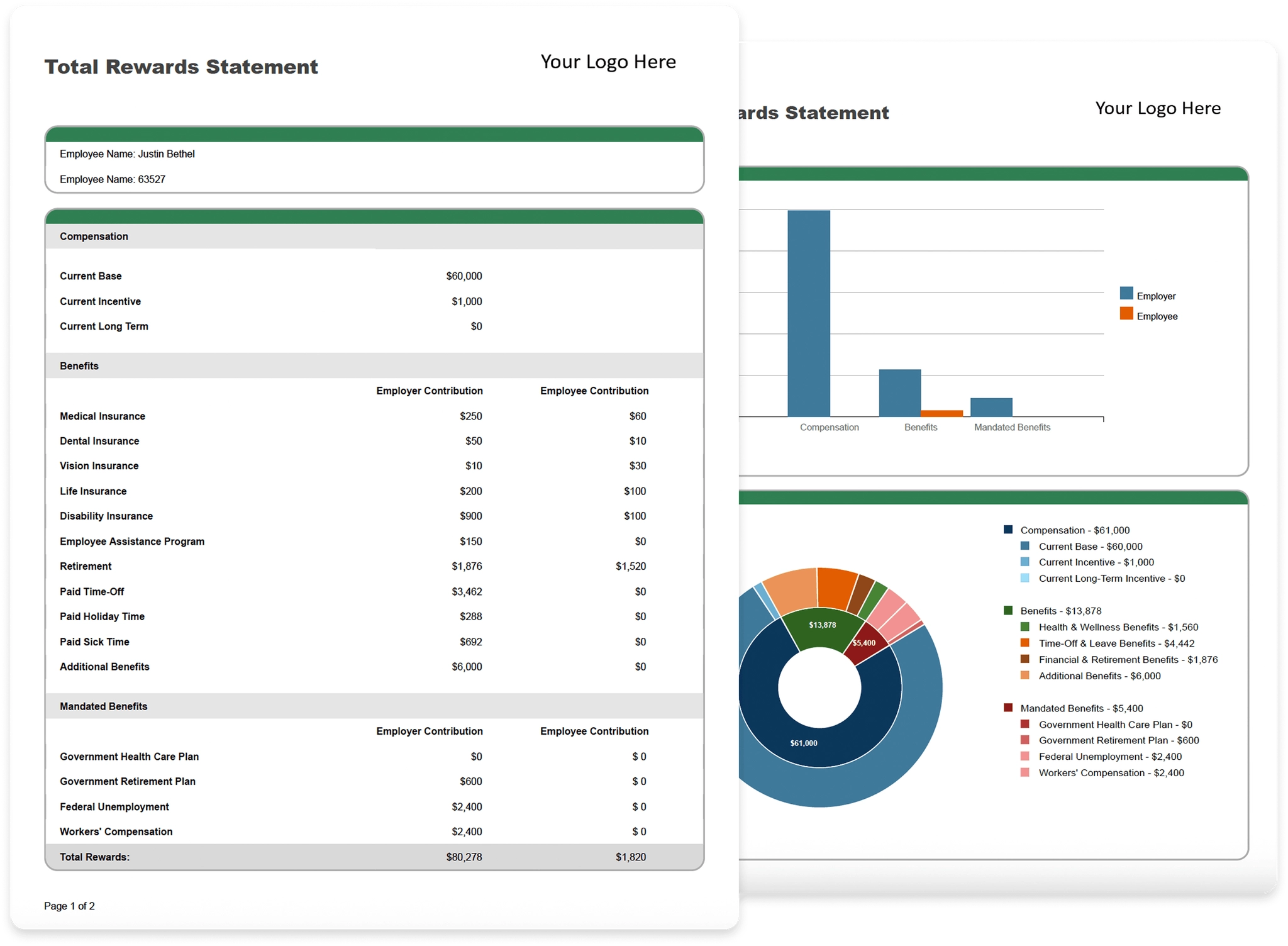
A Total Rewards Statement outlines the total value of an employee’s monetary and non-monetary compensation and benefits package in exchange for an employee’s contributions. This can include base salary, bonuses, long-term incentives, benefits, retirement plans, and other perks within an organization’s budget.
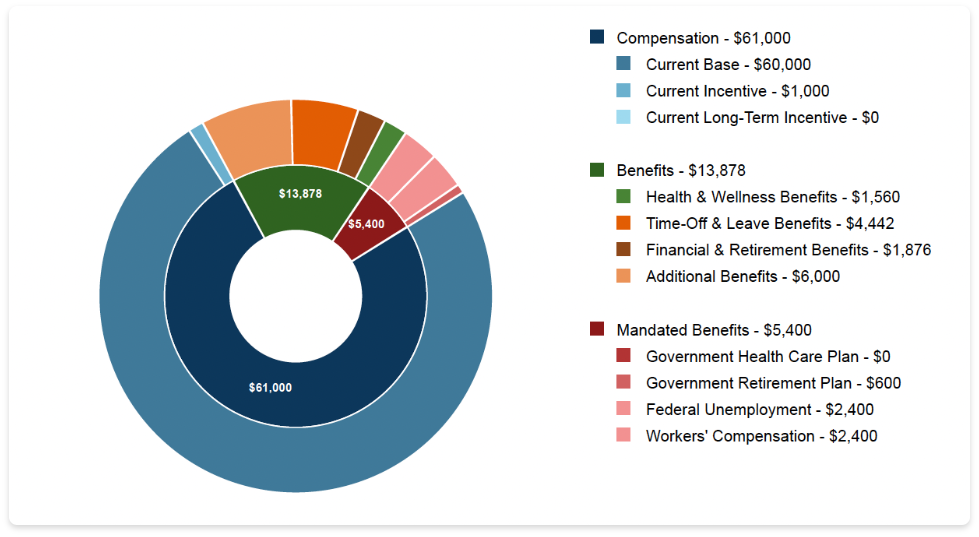
Benefits of a Total Rewards Statement



Plan and Communicate Compensation with Ease
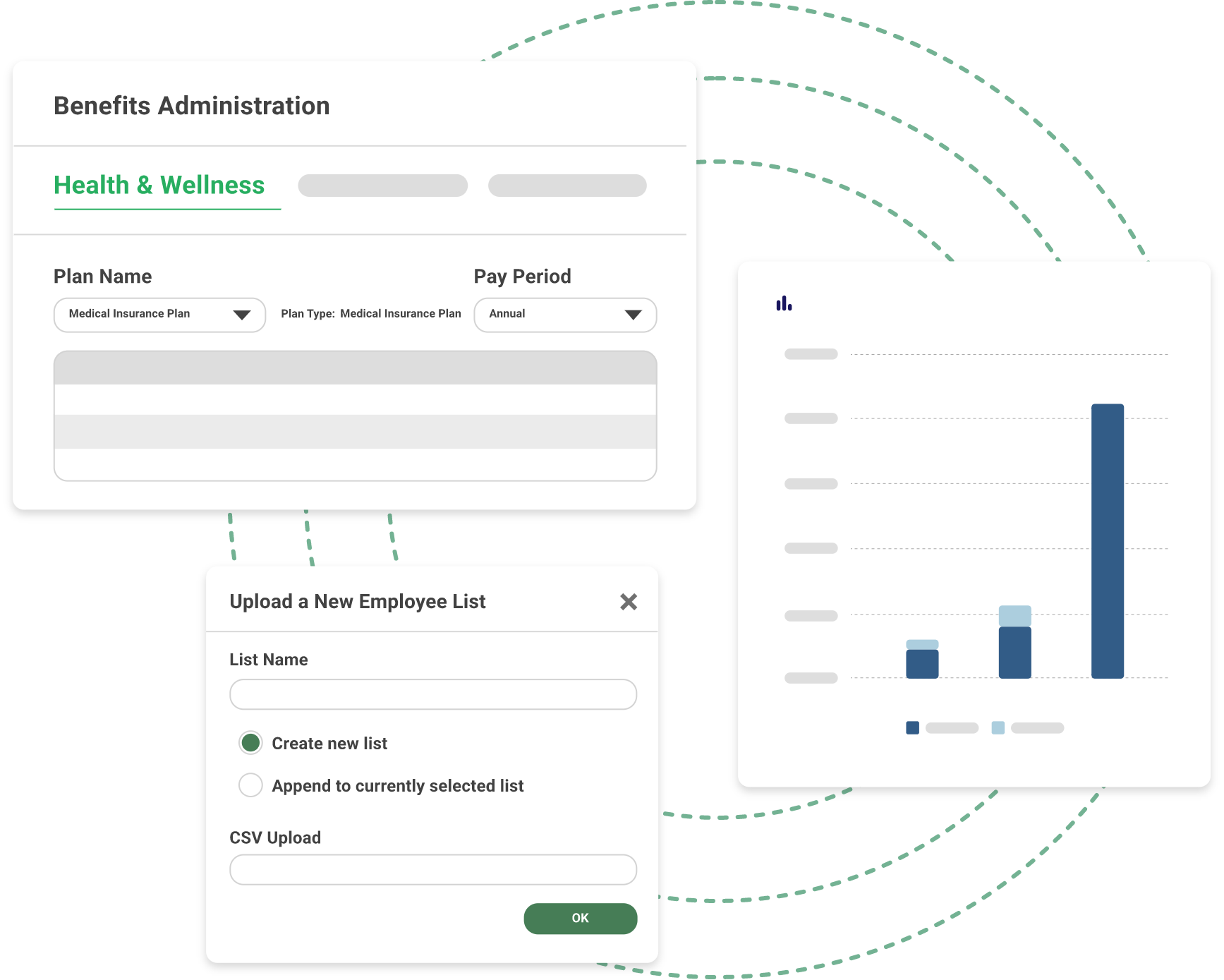
Take control of your total compensation. Within ERI’s Assessor Platform, you can streamline your pay strategy with our complete Compensation Management solution.
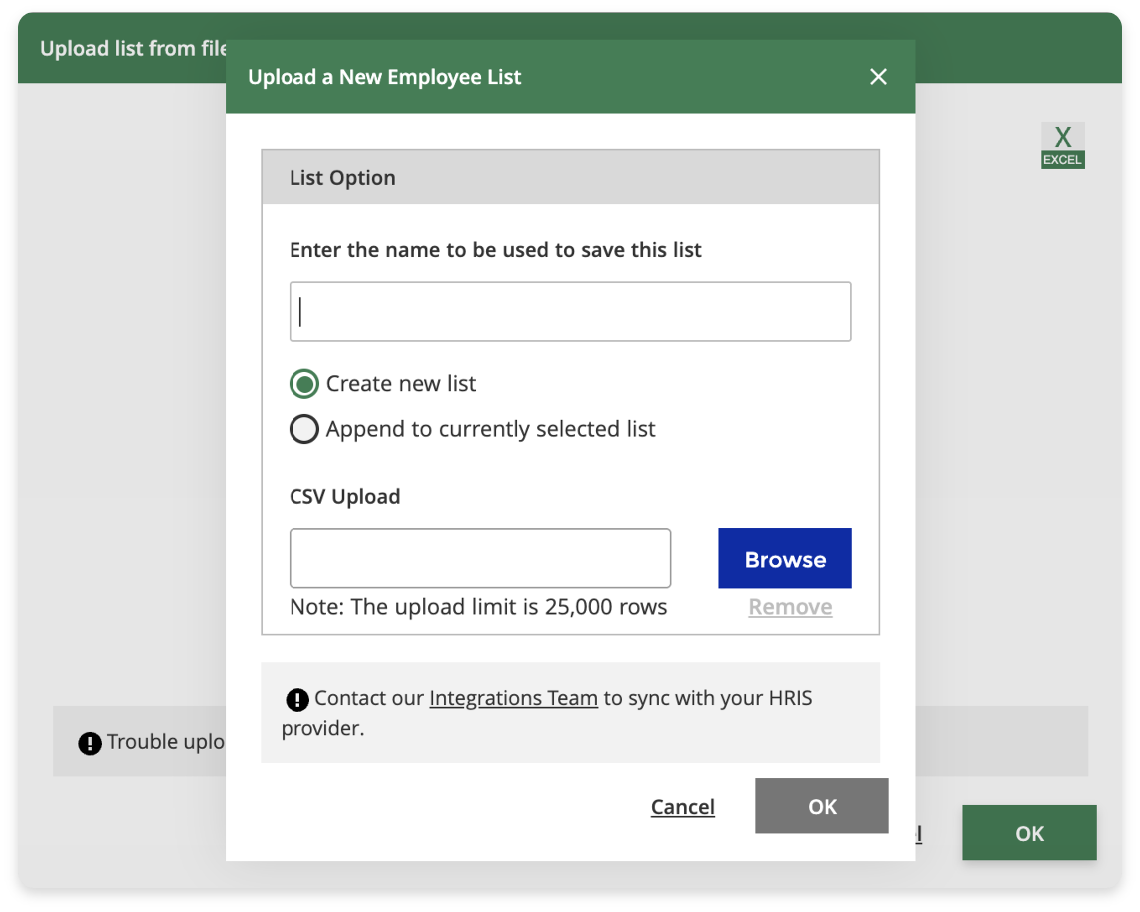
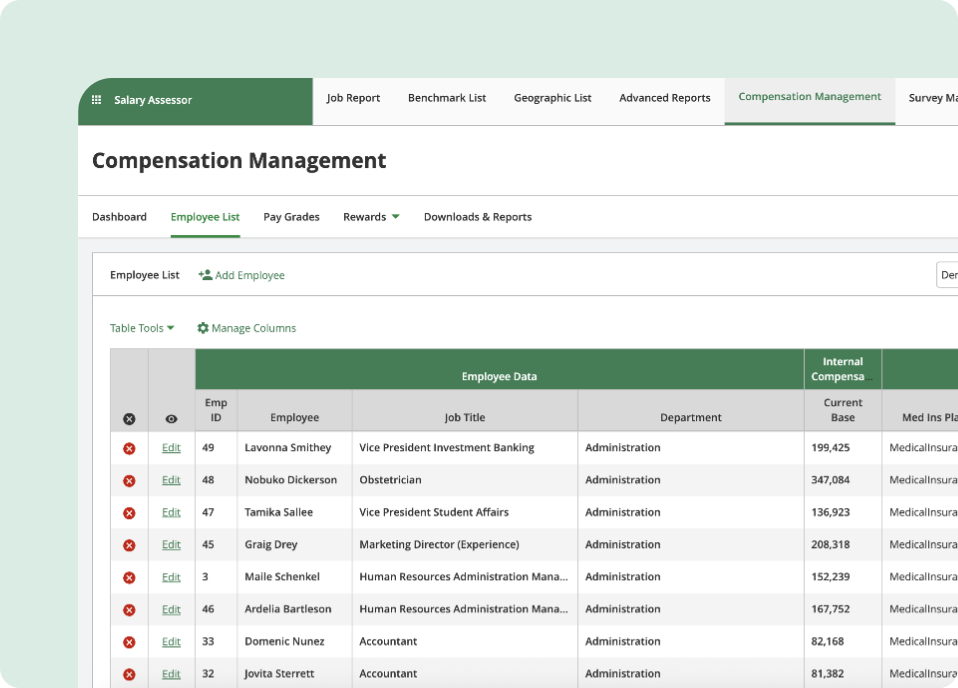
Upload your employee list or automatically sync data from your HRIS provider to get a complete view of each employee’s total compensation package. Effortlessly compare and manage salaries, generate and export Total Rewards Statements, and communicate pay information effectively to enhance transparency and boost morale among your team.
- Plan benefits, including health & wellness, financial & retirement, time-off & leave, mandatory, and additional benefits
- Review and apply salary increases, incentive plans, and discretionary incentives with HR guidance and control
- Get real-time data insights to measure the impact of total rewards on employees
- Easily update employee details using HRIS integration or upload
- Export a Total Rewards Statement for an individual employee or all employees in a department
- Customize your Total Rewards Statement with your company logo to stay on brand
OUR SOLUTION
Employee Total Rewards in Action
Easily generate a Total Rewards Statement within our Compensation Management solution.

STEP 1
Customize Benefits Plans

Health & Wellness Benefits
Define employer and employee contribution amounts for insurance options, including Medical, Dental, Vision, Life Insurance, Disability Insurance, and Employee Assistance Programs.

Time-Off & Leave Benefits
Add accrual rates for Paid Time Off, Paid Holidays, and Paid Sick Time.

Additional Benefits
Add custom benefits specific to your organization, such as stipends for remote employees for expenses like Internet service, gym memberships, etc.

Financial & Retirement Benefits
Set values for Employer Match Percentage, Maximum Salary for Employer Contributions, and Additional Employer Contribution Percentage.

Mandated Benefits
Understand the costs of mandated U.S. benefits, such as a Government Health Care Plan, Government Retirement Plan, Federal Unemployment, and Workers’ Compensation.

STEP 2
Assign Benefits
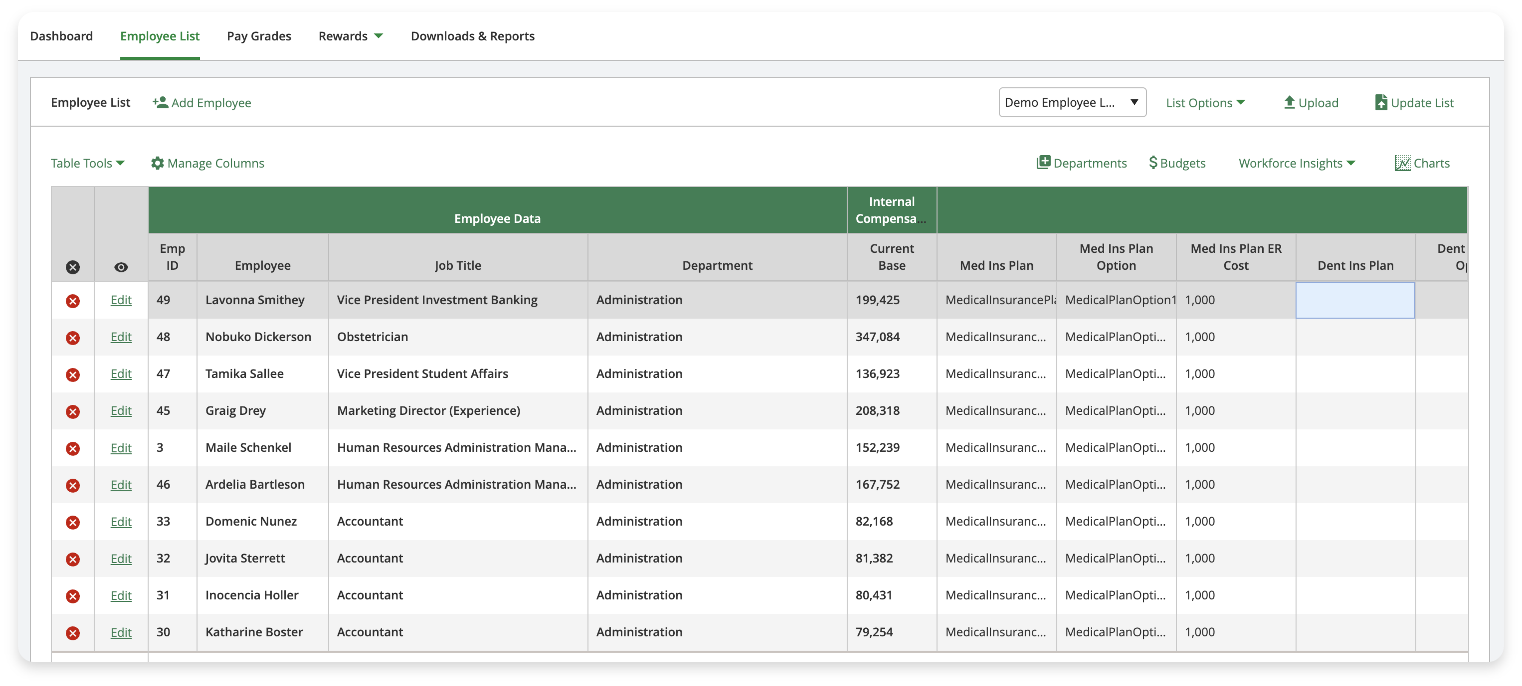
Assign Benefits to Employees

STEP 3
Export PDF
Visualize Total Compensation
Health & Wellness Benefits
Define employer and employee contribution amounts for insurance options, including Medical, Dental, Vision, Life Insurance, Disability Insurance, and Employee Assistance Programs.
Time-Off & Leave Benefits
Add accrual rates for Paid Time Off, Paid Holidays, and Paid Sick Time.
Additional Benefits
Add custom benefits specific to your organization, such as stipends for remote employees for expenses like Internet service, gym memberships, etc.
Financial & Retirement Benefits
Set values for Employer Match Percentage, Maximum Salary for Employer Contributions, and Additional Employer Contribution Percentage.
Mandated Benefits
Understand the costs of mandated U.S. benefits, such as a Government Health Care Plan, Government Retirement Plan, Federal Unemployment, and Workers’ Compensation.
Assign Benefits to Employees
Visualize Total Compensation
Turn Compensation into Your Competitive Advantage
Learn more about how our Assessor Platform can meet the needs of your total rewards strategy and overall compensation management.
Try a Free DemoBLOGS